Expense project using Ansible roles

Results-oriented Global Management Professional with diverse experience of >19 years in different capacities primarily in end-to-end product management, quality, delivery of critical business applications, and project management.
What are Ansible roles..?
Proper structure of playbook that includes var,files,templates other dependencies , handlers etc
roles/
    common/               # this hierarchy represents a "role"
        tasks/            #
            main.yml      #  <-- tasks file can include smaller files if warranted
        handlers/         #
            main.yml      #  <-- handlers file
        templates/        #  <-- files for use with the template resource
            ntp.conf.j2   #  <------- templates end in .j2
        files/            #
            bar.txt       #  <-- files for use with the copy resource
            foo.sh        #  <-- script files for use with the script resource
        vars/             #
            main.yml      #  <-- variables associated with this role
        defaults/         #
            main.yml      #  <-- default lower priority variables for this role
        meta/             #
            main.yml      #  <-- role dependencies
        library/          # roles can also include custom modules
        module_utils/     # roles can also include custom module_utils
        lookup_plugins/   # or other types of plugins, like lookup in this case

    webtier/              # same kind of structure as "common" was above, done for the webtier role
    monitoring/           # ""
    fooapp/               # ""
tasks/ --> You can keep all your tasks here
handlers/ --> When there is a change in particular task, you can notify other task
templates/ --> You can keep all your files with variables here
files/ --> files without variables here
vars/ --> You can keep all variables here
defaults/ --> low-priority variables
meta/ --> other dependencies
Expense project using Ansible roles
Create an instance for the Ansible server in AWS
login to the Ansible server and execute aws configure --> access key and secret key configuration
Load the ansible software for the Ansible server and execute the below command to configure AWS to create three servers and three records.(link)
ansible-playbook -i inventroy.ini 18-ec2instance.yamlCreate a new project folder "expense-ansible-roles"
In Ansible roles every folder will have main.yaml file
Similarly do the same changes for backend.yaml
Mysql role file changes
- mysql.yaml will be
- name: mysql server configuration
  hosts: mysql
  become: yes
  roles:
  - mysql
We create roles folder and mysql folder (roles\mysql)
roles will load all the files in mysql folder.
create tasks folder (roles\mysql\tasks)
Copy the tasks from mysql file to new tasks/main.yaml file. (check the indentation while copying shift+tab)
Create vars folder (vars/main.yaml)) for storing variable names - (mysql password , mysql host).
upload changes in git (expense-ansible-roles-project) and download in aws ansible server and execute below command
Execute mysql.yaml for sqlserver setup
ansible-playbook -i inventory.ini mysql.yaml
Ansible configuration file
Every tool will have a configuration file to do the settings
Ansible configuration file location
# ansible --version
ansible [core 2.14.14]
  config file = /etc/ansible/ansible.cfg
  configured module search path = ['/root/.ansible/plugins/modules', '/usr/share/ansible/plugins/modules']
  ansible python module location = /usr/lib/python3.9/site-packages/ansible
  ansible collection location = /root/.ansible/collections:/usr/share/ansible/collections
  executable location = /bin/ansible
  python version = 3.9.18 (main, Jan  4 2024, 00:00:00) [GCC 11.4.1 20230605 (Red Hat 11.4.1-2)] (/usr/bin/python3)
  jinja version = 3.1.2
  libyaml = True
Ansible will try to load the configuration
ANSIBLE_CONFIG
If ANSIBLE_CONFIG not exists then it checks cfg in CWD
If not CWD then usr home directory
finally etc/ansible/ansible.cfg.
ANSIBLE_CONFIG
[ root@ip-172-31-45-127 /home/ec2-user ]# mkdir test-config
[ root@ip-172-31-45-127 /home/ec2-user ]# cd test-config/
[ root@ip-172-31-45-127 /home/ec2-user/test-config ]# cp /etc/ansible/ansible.cfg  .
[ root@ip-172-31-45-127 /home/ec2-user/test-config ]# pwd
/home/ec2-user/test-config
[ root@ip-172-31-45-127 /home/ec2-user/test-config ]# export ANSIBLE_CONFIG=/home/ec2-user/test-config/ansible.cfg
[ root@ip-172-31-45-127 /home/ec2-user/test-config ]# ansible --version
ansible [core 2.14.14]
  config file = /home/ec2-user/test-config/ansible.cfg
  configured module search path = ['/root/.ansible/plugins/modules', '/usr/share/ansible/plugins/modules']
  ansible python module location = /usr/lib/python3.9/site-packages/ansible
  ansible collection location = /root/.ansible/collections:/usr/share/ansible/collections
  executable location = /bin/ansible
  python version = 3.9.18 (main, Jan  4 2024, 00:00:00) [GCC 11.4.1 20230605 (Red Hat 11.4.1-2)] (/usr/bin/python3)
  jinja version = 3.1.2
  libyaml = True
Here we have configured ANSIBLE_CONFIG to cfg file : /home/ec2-user/test-config/ansible.cfg
ansible --version cfg location is based on ANSIBLE_CONFIG
CFG file in current working directory
you can see the ansible --version cfg file given preference to CWD.
[ root@ip-172-31-45-127 /home/ec2-user ]#  ansible --version
ansible [core 2.14.14]
  config file = /etc/ansible/ansible.cfg
  configured module search path = ['/root/.ansible/plugins/modules', '/usr/share/ansible/plugins/modules']
  ansible python module location = /usr/lib/python3.9/site-packages/ansible
  ansible collection location = /root/.ansible/collections:/usr/share/ansible/collections

[ root@ip-172-31-45-127 /home/ec2-user ]# cd test-config/

[ root@ip-172-31-45-127 /home/ec2-user/test-config ]#  ansible --version
ansible [core 2.14.14]
  config file = /home/ec2-user/test-config/ansible.cfg
  configured module search path = ['/root/.ansible/plugins/modules', '/usr/share/ansible/plugins/modules']
  ansible python module location = /usr/lib/python3.9/site-packages/ansible
- Config file in usr/home directory
3.89.145.11 | 172.31.45.127 | t3.micro | null
[ root@ip-172-31-45-127 /home/ec2-user/test-config ]# cp ansible.cfg ~/.ansible.cfg

3.89.145.11 | 172.31.45.127 | t3.micro | null
[ root@ip-172-31-45-127 /home/ec2-user/test-config ]# cd ..

3.89.145.11 | 172.31.45.127 | t3.micro | null
[ root@ip-172-31-45-127 /home/ec2-user ]# ansible --version
ansible [core 2.14.14]
  config file = /root/.ansible.cfg
  configured module search path = ['/root/.ansible/plugins/modules', '/usr/share/ansible/plugins/modules']
  ansible python module location = /usr/lib/python3.9/site-packages/ansible
  ansible collection location = /root/.ansible/collections:/usr/share/ansible/collections
  executable location = /bin/ansible
  python version = 3.9.18 (main, Jan  4 2024, 00:00:00) [GCC 11.4.1 20230605 (Red Hat 11.4.1-2)] (/usr/bin/python3)
  jinja version = 3.1.2
  libyaml = True
It is always good to have ansible cfg file in CWD.
sample cfg file in github : file link
I will create an ansible.cfg in CWD folder with the following changes
[defaults]

inventory = inventory.ini
remote_user=ec2-user
now the execution command will be
ansible-playbook mysql.yaml
Backend role file changes
- backend.yaml file
- name: backend server configuration
  hosts: backend
  become: yes
  roles:
  - backend
We create roles folder and backendfolder (roles\backend)
roles will load all the files in backend folder.
create tasks folder (roles\backend\tasks)
Copy the tasks from backend file to new tasks/main.yaml file. (check the indentation while copying shift+tab)
Create vars folder (vars/main.yaml)) for storing variable names - (mysql password , mysql host).
Create templates folder and create a file backend.service.j2
[Unit]
Description = Backend Service

[Service]
User=expense
Environment=DB_HOST="{{mysql_host}}"
ExecStart=/bin/node /app/index.js
SyslogIdentifier=backend

[Install]
WantedBy=multi-user.target
- update backend.yaml
- name: copy backend service #copy works only for file with out variables
  ansible.builtin.template:
    src: backend.service.j2
    dest: /etc/systemd/system/backend.service
upload changes in git (expence-ansible-roles-project) and download in aws ansible server and execute below command
Execute backend.yaml for backend server setup
ansible-playbook  backend.yaml

#login to backendserver
[ root@ip-172-31-41-4 ~ ]# netstat -lntp
Active Internet connections (only servers)
Proto Recv-Q Send-Q Local Address           Foreign Address         State       PID/Program name
tcp        0      0 0.0.0.0:22              0.0.0.0:*               LISTEN      1252/sshd: /usr/sbi
tcp6       0      0 :::8080                 :::*                    LISTEN      16866/node
tcp6       0      0 :::22                   :::*                    LISTEN      1252/sshd: /usr/sbi
Frontend role file changes
- frontend.yaml file
- name: frontend server configuration
  hosts: frontend
  become: yes
  roles:
  - frontend
We create roles folder and frontend(roles\frontend)
roles will load all the files in frontend folder.
create tasks folder (roles\frontend\tasks)
Copy the tasks from frontend file to new tasks/main.yaml file. (check the indentation while copying shift+tab)
Create vars folder (vars/main.yaml)) for storing variable names - (backend host details).
BACKEND_HOST: backend.vijaydevops.store
- Create templates folder and create a file expense.conf.j2
proxy_http_version 1.1;

location /api/ { proxy_pass http://{{BACKEND_HOST}}:8080/; }

location /health {
  stub_status on;
  access_log off;
}
8.update frontend.yaml file
- name: copy expense conf
  ansible.builtin.template:
    src: expense.conf.j2
    dest: /etc/nginx/default.d/expense.conf
upload changes in git (expence-ansible-roles-project) and download in aws ansible server and execute below command
Execute frontend.yaml for backend server setup
ansible-playbook frontend.yaml
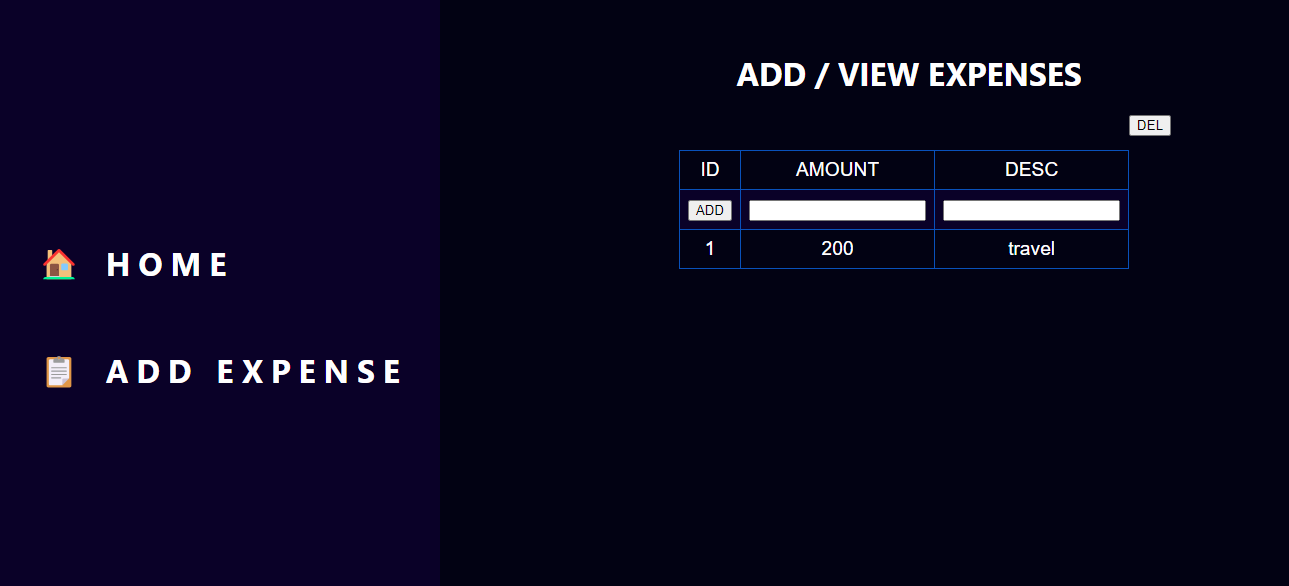
Improvements to Expense project
Handlers and Notifiers
When a task is changed you can notify this to another task.
for example: when a configuration file is modified you can inform a task to restart the system.
- In frontend/tasks/main.yaml we are notifying the task restart nginx if there is any change in expense.conf.
- name: copy expense conf
  ansible.builtin.template:
    src: expense.conf.j2
    dest: /etc/nginx/default.d/expense.conf
  notify:
  - restart nginx
create a handlers folder (frontend/handlers) and main.yaml file
 - name: restart nginx
   ansible.builtin.service:
     name: nginx
     state: restarted
execute frontend.yaml
ansible-playbook frontend.yaml
#output
[ root@ip-172-31-36-124 ~/devopsaws/expense-ansible-roles ]# ansible-playbook frontend.yaml

TASK [frontend : copy expense conf] *********************************************************************************************************************************************************
ok: [frontend.vijaydevops.store]

PLAY RECAP **********************************************************************************************************************************************************************************
frontend.vijaydevops.store : ok=8    changed=3    unreachable=0    failed=0    skipped=0    rescued=0    ignored=0

#after "copy expense conf"
we see the "restart nginx" task is not triggered as there is no change expense.conf.
Reusability
In the Expense project, the common tasks in frontend and backend playbook
Remove the existing directory
- app in backend and /usr/share/nginx/html folder in frontend
Create new folders (app and /usr/share/nginx/html)
download the code
Extract the code
we can reuse the above steps for both frontend and backend
- In roles/backend/vars/main.yaml file add app location and component variables
mysql_password: ExpenseApp@1
mysql_host: mysql.vijaydevops.store
app_location: /app
component: backend
In roles folder create new folder - common/tasks and file app-pre-req.yaml
 - name: remove existing app location
   ansible.builtin.file:
     path: "{{ app_location }}"
     state: absent
   ignore_errors: true  #if location itself is not there we have to continue to next step

 - name: create app directory
   ansible.builtin.file:
     path: "{{ app_location }}"
     state: directory

 - name: "download the {{ component }} code"
   ansible.builtin.unarchive:
     src: "https://expense-builds.s3.us-east-1.amazonaws.com/expense-{{ component }}-v2.zip"
     dest: "{{ app_location }}"
     remote_src: yes
update /backend/tasks/main.yaml file to access this common code (file link)
- name: import task from common role
  ansibel.builtin.import_role:
    name: common
    tasks_from: app_pre_req
- Execute backend.yaml
ansible-playbook backend.yaml
TASK [common : remove existing app location] ************************************************************************************************************************************************
changed: [backend.vijaydevops.store]

TASK [common : create app directory] ********************************************************************************************************************************************************
changed: [backend.vijaydevops.store]

TASK [common : download the backend code] ***************************************************************************************************************************************************
changed: [backend.vijaydevops.store]

TASK [backend : install dependencies] *******************************************************************************************************************************************************
changed: [backend.vijaydevops.store]
you can see the common code got executed.
Similarly do the same changes for frontend - vars,tasks (files location : link)
specify these dependency information in backend and frontend.
 dependencies:
 - role: common
Add the above code in /backend/meta/main.yaml and /frontend/meta/main.yaml
this is not mandatory but we can see the dependencies in meta file.
Ansible vault
Vault means secure storage.
we will secure the passwords which we are giving in the project
- Create a file with password content with password encrypted
[ root@ip-172-31-36-124 ~ ]# cd /var/
[ root@ip-172-31-36-124 /var ]# mkdir expense
[ root@ip-172-31-36-124 /var ]# cd expense/
[ root@ip-172-31-36-124 /var/expense ]# ansible-vault create credentials_mysql.yaml
New Vault password:
Confirm New Vault password:
Update the MySQL password information in credentials_mysql.yaml
 mysql_password: ExpenseApp@1
 mysql_host: mysql.vijaydevops.store
If we want to view the password, we must give password credentials.
 [ root@ip-172-31-36-124 /var/expense ]# ansible-vault view  credentials_mysql.yaml
 Vault password:
 mysql_password: ExpenseApp@1
 mysql_host: mysql.vijaydevops.store
You can edit the credentails_mysql.yaml by giving the password.
ansible-vault edit credentials_mysql.yamlwe have to use this credentails_mysql.yaml file in mysql.yaml file with the following changes
 - name: mysql server configuration
   hosts: mysql
   become: yes
   vars_files:
   - /var/expense/credentials_mysql.yaml
   roles:
   - mysql
comment the content inside /roles/mysql/vars/main.yaml file
Update the ansible.cfg file with "ask_vault_pass=true"
 [defaults]

 inventory = inventory.ini
 remote_user=ec2-user
 ask_vault_pass = true
upload the project and execute in ansible server.
 [ root@ip-172-31-36-124 ~/devopsaws/expense-ansible-roles ]# ansible-playbook mysql.yaml
 Vault password:

 PLAY [mysql server configuration] ***********************************************************************************************************************************************************

 TASK [Gathering Facts] **********************************************************************************************************************************************************************
 ok: [mysql.vijaydevops.store]
In cloud, we will not use this ansible vault.
Ansible Tags
To filter out some specific information tags will be very useful
In Expense project , for example if the backend code we have new version (https://expense-builds.s3.us-east-1.amazonaws.com/expense-backend-v3.zip)
We do not need to execute all the tasks for this new version.
The tasks that can be executed will be tagged (tag deployment), for example
 - name: install dependencies
   tags:
   - deployment
   ansible.builtin.command: npm install
   args:
     chdir: /app
We can run the yaml file with -t <tag name>
$ansible-playbook backend.yaml -t deployment[ root@ip-172-31-36-124 ~/devopsaws/expense-ansible-roles ]# ansible-playbook backend.yaml -t deployment Vault password: PLAY [backend server configuration] ********************************************************************************************************************************************************* TASK [Gathering Facts] ********************************************************************************************************************************************************************** ok: [backend.vijaydevops.store] TASK [common : remove existing app location] ************************************************************************************************************************************************ changed: [backend.vijaydevops.store] TASK [common : create app directory] ******************************************************************************************************************************************************** changed: [backend.vijaydevops.store] TASK [common : download the backend code] *************************************************************************************************************************************************** changed: [backend.vijaydevops.store] TASK [backend : install dependencies] ******************************************************************************************************************************************************* changed: [backend.vijaydevops.store] TASK [backend : daemon reload] ************************************************************************************************************************************************************** changed: [backend.vijaydevops.store] PLAY RECAP ********************************************************************************************************************************************************************************** backend.vijaydevops.store : ok=6 changed=5 unreachable=0 failed=0 skipped=0 rescued=0 ignored=0
you can see tasks with deployment tag are executed.
Ansible dynamic inventory
Ansible dynamic inventory is used to fetch the instances in runtime in cloud environment.
In cloud , when traffic increases then automatically servers will also increase.
ansible also query cloud and get the IP address dynamically.
For Ansible to provide dynamic IP, what information we have to provide to ansible...?
authentication
region
name
state : running
then based on the above data ansible can fetch the public / private IP address.
- First create 20 instances in AWS, for that, you need to check your quota limit in AWS
In aws -> search limits --> select "serverice quota" --> click dashboard
--> click EC2 --> search "instances"

References:
Challenges
- Question on ansible cfg file , what is the difference between "cp ansible.cfg ~/.ansible.cfg and cp ansible.cfg ~/."..? and why cp ansible.cfg ~/. is not working ..?
- In the root folder, all files should start with "."
Interview Questions
What are handlers/Notifiers ..?
There are 100 tasks in a playbook, how can I run 10 tasks from it ..?


